> For the complete documentation index, see [llms.txt](https://docs.enzoic.com/enzoic-for-active-directory/llms.txt). Markdown versions of documentation pages are available by appending `.md` to page URLs; this page is available as [Markdown](https://docs.enzoic.com/enzoic-for-active-directory/product-usage/enzoic-installed-product-console/reporting/users-with-passwords-set-to-never-expire.md).

# Users with Passwords Set to Never Expire

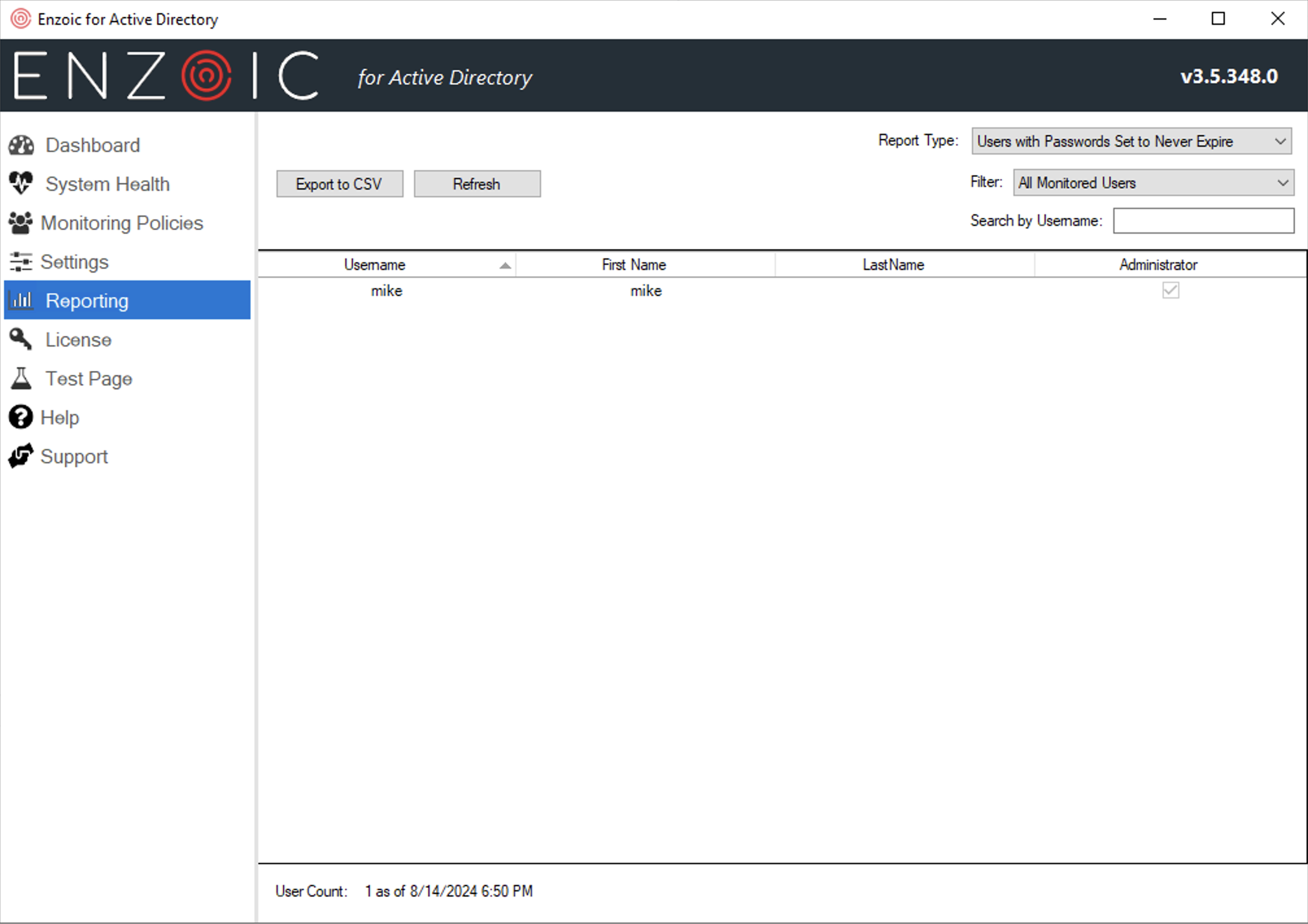
<div align="left"><figure><img src="/files/yVXnpPJhreWIU3bZy8Bi" alt="" width="375"><figcaption><p>Sample Users with Passwords Set to Never Expire Report</p></figcaption></figure></div>

This report shows you a list of all the users who have been detected as having a password which never expires.  Depending on your organization's policies, this may or may not be acceptable. &#x20;

The Update button in the header allows you to refresh the report. Since this report can be time-consuming to generate for larger domains, it is only refreshed on demand. If the data is stale (more than 15 minutes out of date), you will see a red warning message next to this Update button reminding you that you need to regenerate the report to see current data.

#### **Users with Passwords Set to Never Expire Report Fields**

<table><thead><tr><th width="226">Field</th><th>Description</th></tr></thead><tbody><tr><td>Username</td><td>The user’s username in AD.</td></tr><tr><td>First Name</td><td>The user’s first name in AD, if present.</td></tr><tr><td>Last Name</td><td>The user’s last name in AD, if present.</td></tr><tr><td>Administrator</td><td>Whether the user account has some form of administrative permissions in AD</td></tr></tbody></table>
